Private notes. Encrypted by default,
designed like it isn’t.

Condei is an end-to-end encrypted notes app for iPhone, iPad, Mac and Android.

Coming soon to the App Store and Google Play

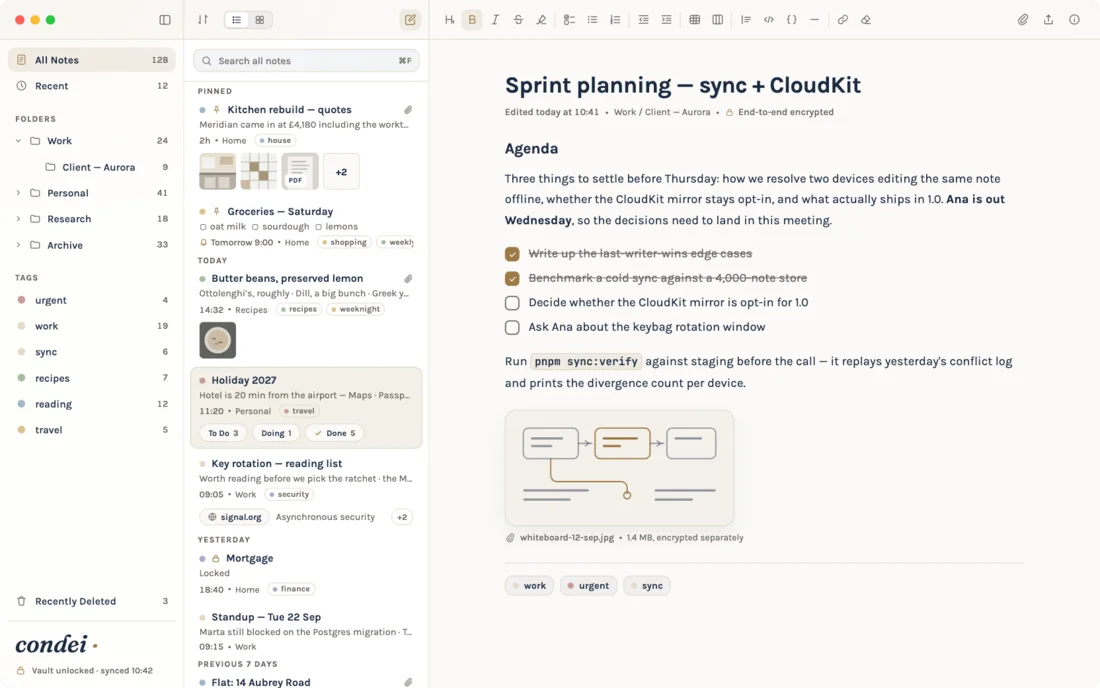
Condei on Mac: the note “Sprint planning” open beside the note list, with a checklist and an attached diagram.
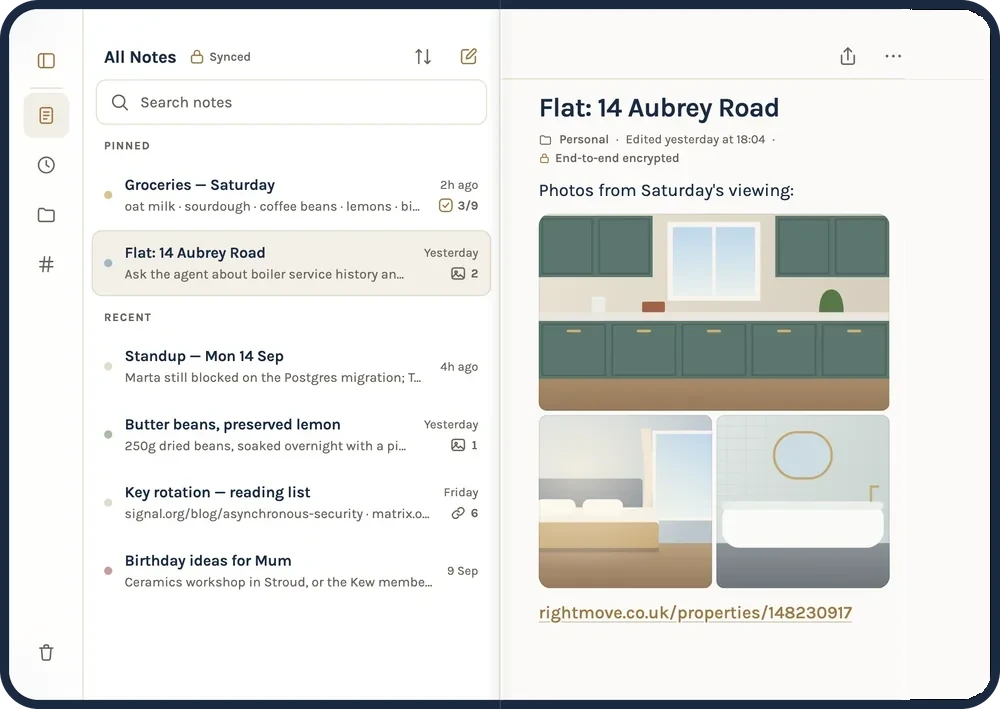
Condei on an unfolded iPhone Duo: the note list on one half and the note “Flat: 14 Aubrey Road” with its photos on the other.
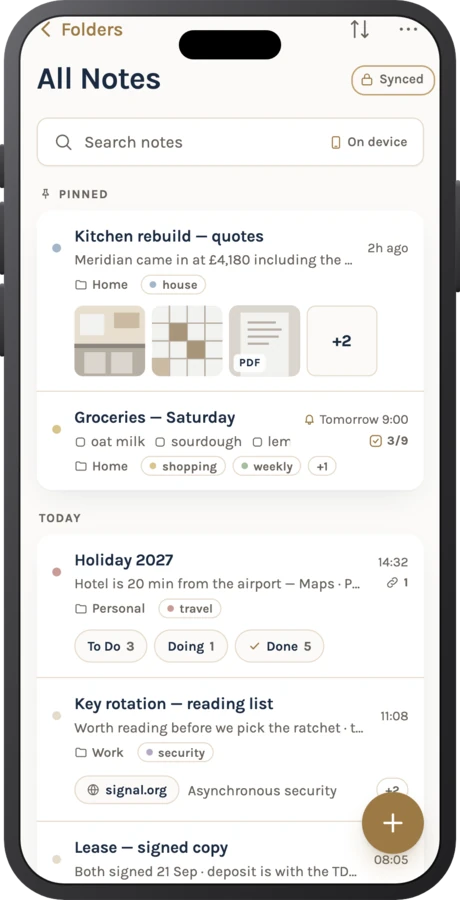
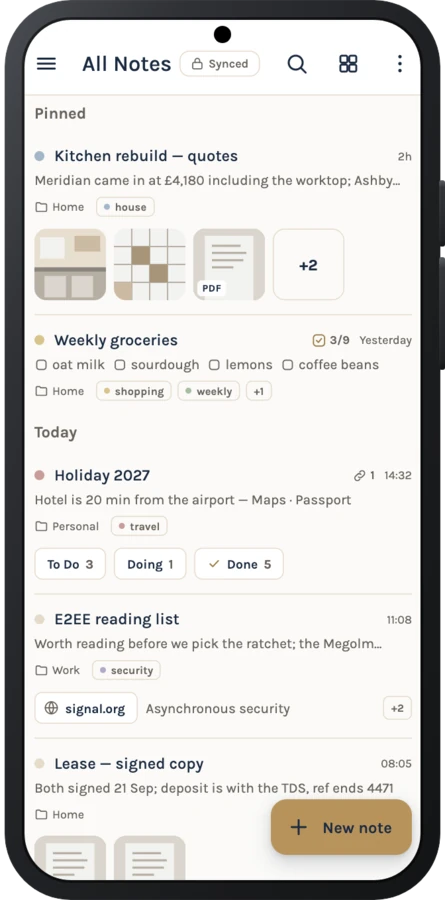
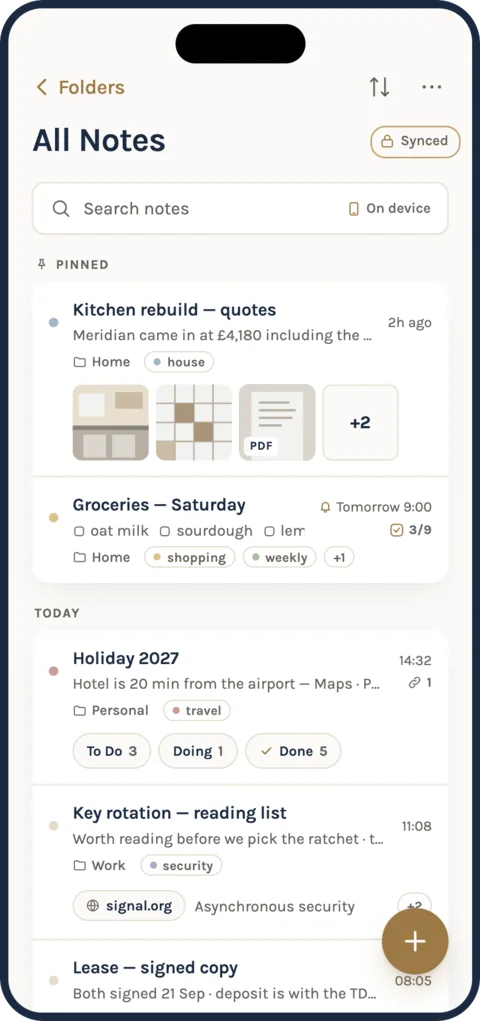
Condei’s note list on iPhone, with pinned notes, tags and attachments.

What “we can’t read your notes” really means

Follow one note from your hand to your other device, and see what our server is left holding.

A note is written on your device and sealed with a key that never leaves it. Only scrambled bytes travel to our server, which stores them without being able to read them. Your other device holds the key too, so it opens the note.

Written on your device, sealed with a key that never leaves it, stored by our server as bytes it can’t read, opened on your other device.

Seal a line yourself

This runs in your browser, with the same kind of encryption Condei uses (AES-GCM, via your browser’s own Web Crypto). The key is made in this tab, and nothing you type is sent anywhere.

What would leave your device

9f 3c e1 0a 7b d4 52 c8 0e 91 a6 3f 5d e2 b7 14 c0 6a 8e f3 29 d1 47 bc 03 e5 9a 71 d8 4c b0 2f 86 17 ee 63 a9

53 bytes: a 12-byte nonce, your text, and a 16-byte integrity tag.

  • Encrypted on your device first

    Notes, tags, folders and attachments are encrypted on your device before they ever reach our server. Condei never has the key.

  • A recovery code only you hold

    A recovery code you keep yourself unlocks your notes if every device is lost. Lose every way in and nobody can recover them — including us.

  • New devices unlock in person

    Adding a device transfers the key straight from one you already trust — you confirm it by checking that both devices show the same code.

  • What our server can still see

    Encrypted copies, your email and sign-in method, and which devices are yours — never your notes’ titles, text, tags or folders.

How we keep it that way

Free, on every platform

Every writing feature is free in every vault — note history, locked notes, boards, tables, reminders and the rest.

  1. Photos, lists and links, in the note.

    Attachments are encrypted on your device with everything else you write.

  2. Tick it off as you pack.

    Checklists sit in the note with everything else. Tick an item and it steps aside, so what’s left stands out.

  3. Structure, without leaving the page.

    Plan in columns, right inside your note. Drop a card in Done and it ticks itself off.

  4. Reminded at the right moment.

    Put a reminder on a note, or on a single card. It rings on your devices at the time you chose, Upcoming lists what’s next, and even the time is encrypted.

  5. Condei Nor

    Share and write together.

    Share a note with up to three people and watch each other type, still encrypted on your device first.

  6. Condei Nor

    The same note, on every device.

    Move a card on Android and it lands on your Mac and iPhone, encrypted on your device before it leaves.

Drag a card to another column. Or Tab to a card: Space lifts it, the arrow keys move it, Enter drops it, Escape cancels.Touch and hold a card, then drag it to another column.

  • Passport
  • Adapters
  • Sunscreen
  • Swimsuits
  • Phone chargers
  • Beach towels
To Do
  • Book airport transfer
  • Travel insurance
In Progress
  • Get visaEmbassy on Tue; bring two photos
    Fee is £95
    Tomorrow 9:00
Done
  • Exchange currency
  • Renew passport
  • Book hotel
  • Book flights

What our server stores

All NotesDone

Weekend away

Before we fly

Lands at 09:40, then pastel de nata first.

Passport
Adapters
Sunscreen

Wi-Fi: lisbon-guest

Write however you think.

Type Markdown and watch it become the page: headings, bold, highlights, checklists, code. Tick a box, or switch a style off.

All NotesDone

Holiday 2027

Hotel is 20 min from the airport

Item
Qty
Price
Passport
1
—
Adapters
2
£12
Sunscreen
3
£7
Total
£19

Remember the sunscreen. I’ll bring the adapters.

Tables, right inside a note.

Add rows and columns as you type. Tap any cell to edit it, or the plus under the table to add a row.

History

Butter beans, preserved lemon5 versions

Today, 09:12 · read-only

Butter beans, preserved lemon

  • 250g dried butter beans
  • Preserved lemons, the small jar
  • Dill, a big bunch
  • Greek yoghurt
  • Flat-leaf parsley
Restoring keeps today’s 14:32 version in History, so you can undo it.

Every sitting, kept.

Note history saves a version each time you finish writing. Scrub back, see what changed, and bring any version home.

All NotesSynced

Groceries — Saturdayoat milk · sourdough · coffee beans2h ago
Birthday ideasceramics class · the record shopMon

Lock the notes that matter most.

A locked note stays sealed until you open it on your device. Tap it to try.

Which Condei is for you?

Every Condei is free. What differs is where your notes can go.

I use…

Your notes sync across iPhone, iPad and Mac through your own iCloud, encrypted by Condei first. Your notes stay on your phone, with an encrypted backup to your own Google Drive. To sync between Apple devices and Android, you need Condei Nor. Share a note or folder with up to three people with Condei Nor. Anyone can open it on a free Condei account; editing it needs Condei Nor too.

  • Your match

    iCloud Vault

    Free, on Apple devices only

    Syncs across iPhone, iPad and Mac through your own private iCloud — encrypted by Condei first, so iCloud never sees the plain text. iCloud backup and multi-device sync keep working, for free.

  • Your match

    Local Vault

    Free, on Android only

    Keeps your notes on the phone and backs them up, encrypted, to your own Google Drive. Honestly: it does not sync between devices.

  • Your match

    Condei Nor

    Apple and Android together

    Condei Nor is required to sync between Apple devices and Android, and to give people you share with edit rights on a note.

    See Condei Nor
Condei Nor

Want it on every device, together?

Condei Nor syncs your notes between Apple and Android and lets up to three people edit a shared note with you — still encrypted on your device first.

  • £3.99/month
  • £29.99/year

Coming soon — not yet available to buy

  • iPhone, Mac and Android, one vault

    The same notes on every device you own, whichever you pick up. No device limit.

  • Share and write together

    Share a note or folder with up to three people and watch each other type, still encrypted on your device first.

  • Encrypted before upload

    Notes, titles, tags, folders and attachments are encrypted on your device before they leave it. Our server keeps a copy it cannot read.

  • A new device in moments

    Sign in on the new device, approve it from one you already use, and check that both show the same code.

  • 5 GB for photos, PDFs and files

    5 GB of encrypted storage on our server, shared by your notes, their history and everything you attach.

  • Stop any time — your notes stay on your devices

    Cancelling never locks you out of a single note. What happens if you stop.

Get Condei

iPhone, iPad, Mac and Android. Free to start, on every one of them.

  • iPhone
  • iPad
  • Mac
  • Android

Coming soon. Condei isn’t in the App Store or Google Play yet — there’s nothing to download here.

This site collects nothing about you:
no analytics, no cookies, no email capture.